Create a quotation or order
Turn a reviewed voucher into a customer quotation or order.
Finance → Create Order → Order
Step by step
- 1
Complete and review your voucher details, including passengers, service prices, and vendors.
- 2
In the Order tab, select the customer under Order / Quotation Details. Add the customer through Master Data if the record does not exist.
- 3
Select the relevant suppliers on the flight or service cost rows. Add missing vendors through Master Data.
- 4
Check Currency Code, choose Order or Quotation under Document Type, and add any notes.
- 5
Review the Order Summary, then select Create Order / Quotation at the bottom. Review the saved record in Orders.
See it in the workspace
Actual portal screens. Private values are hidden where needed. Open an image to see it at full size.
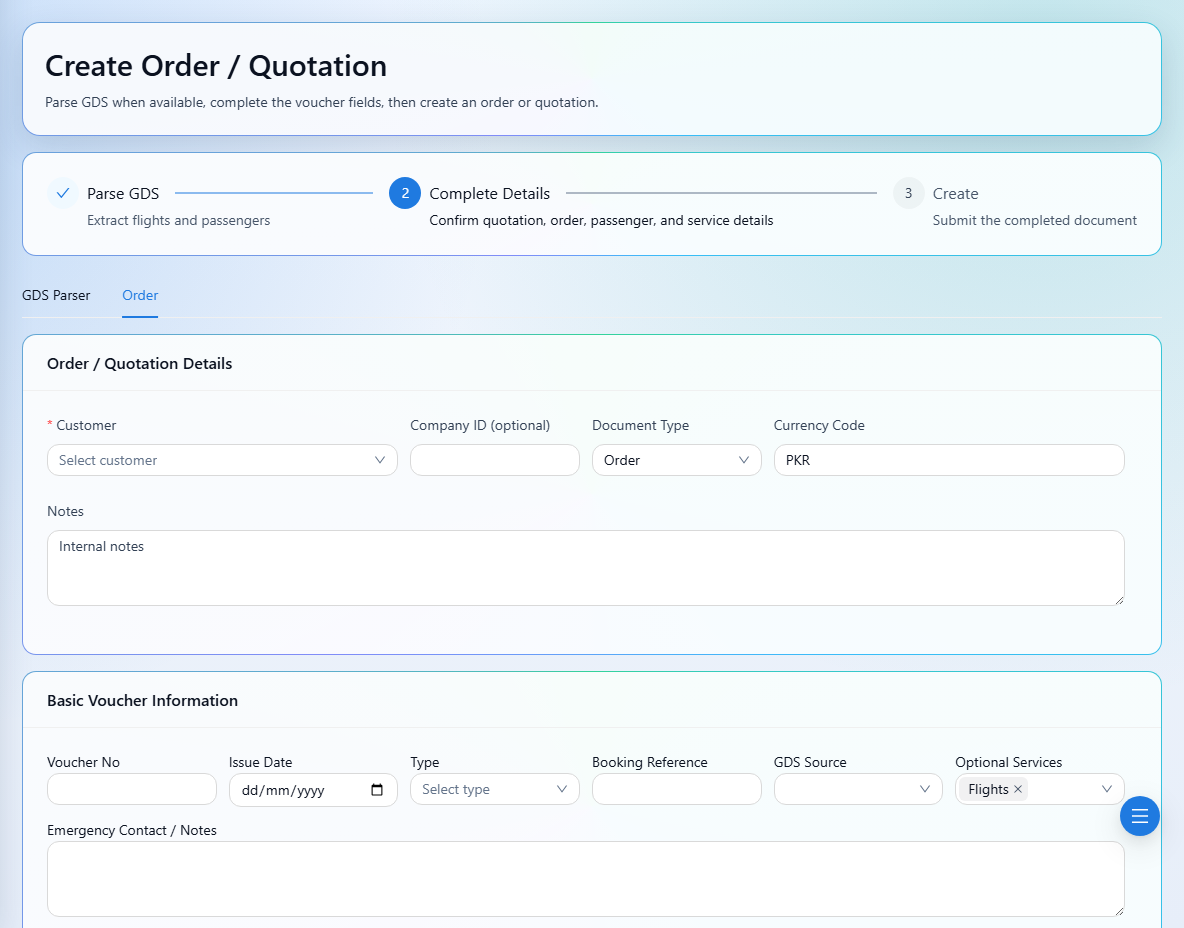
Check the customer and currency before submitting. Customer sales values and supplier cost values serve different purposes.