Import a booking with the GDS Parser
Paste Sabre or Galileo text and review the extracted booking details.
Finance → Create Order → GDS Parser
Step by step
- 1
Open Finance → Create Order and select the GDS Parser tab.
- 2
Paste the complete booking text in Raw GDS Text. The current screen parses locally and labels Sabre, Galileo, Amadeus, or Other data for review.
- 3
Run Parse GDS, then open the Order tab to review the populated information.
- 4
Check passenger names, ticket numbers, booking references, airline PNRs, routes, dates, and departure and arrival times against the original booking.
- 5
Complete missing details and passenger pricing before creating your order.
See it in the workspace
Actual portal screens. Private values are hidden where needed. Open an image to see it at full size.
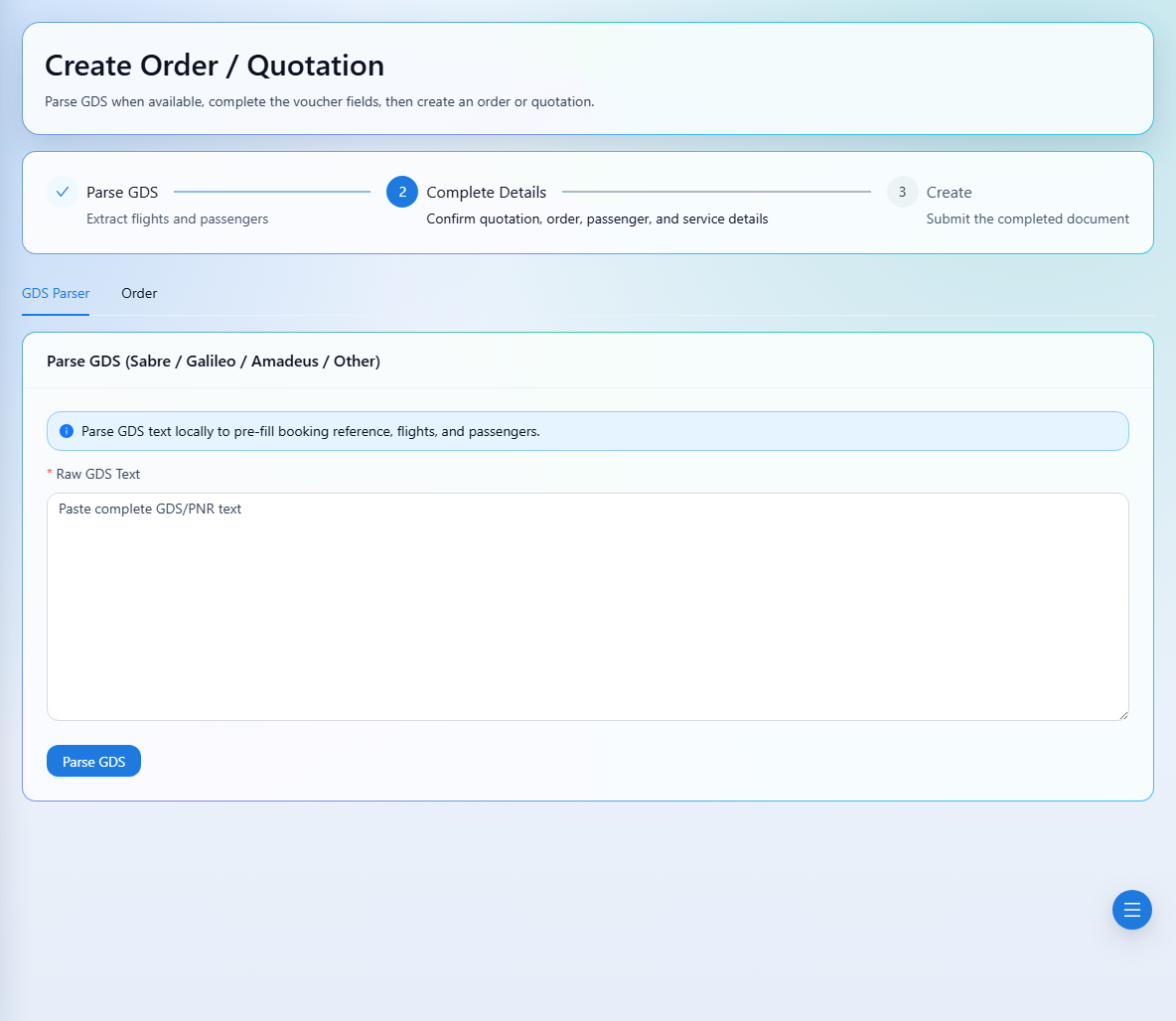
Parser results must be checked against the source booking. Correct missing or inaccurate passenger, flight, and pricing information before saving.