Vendors: maintain supplier records
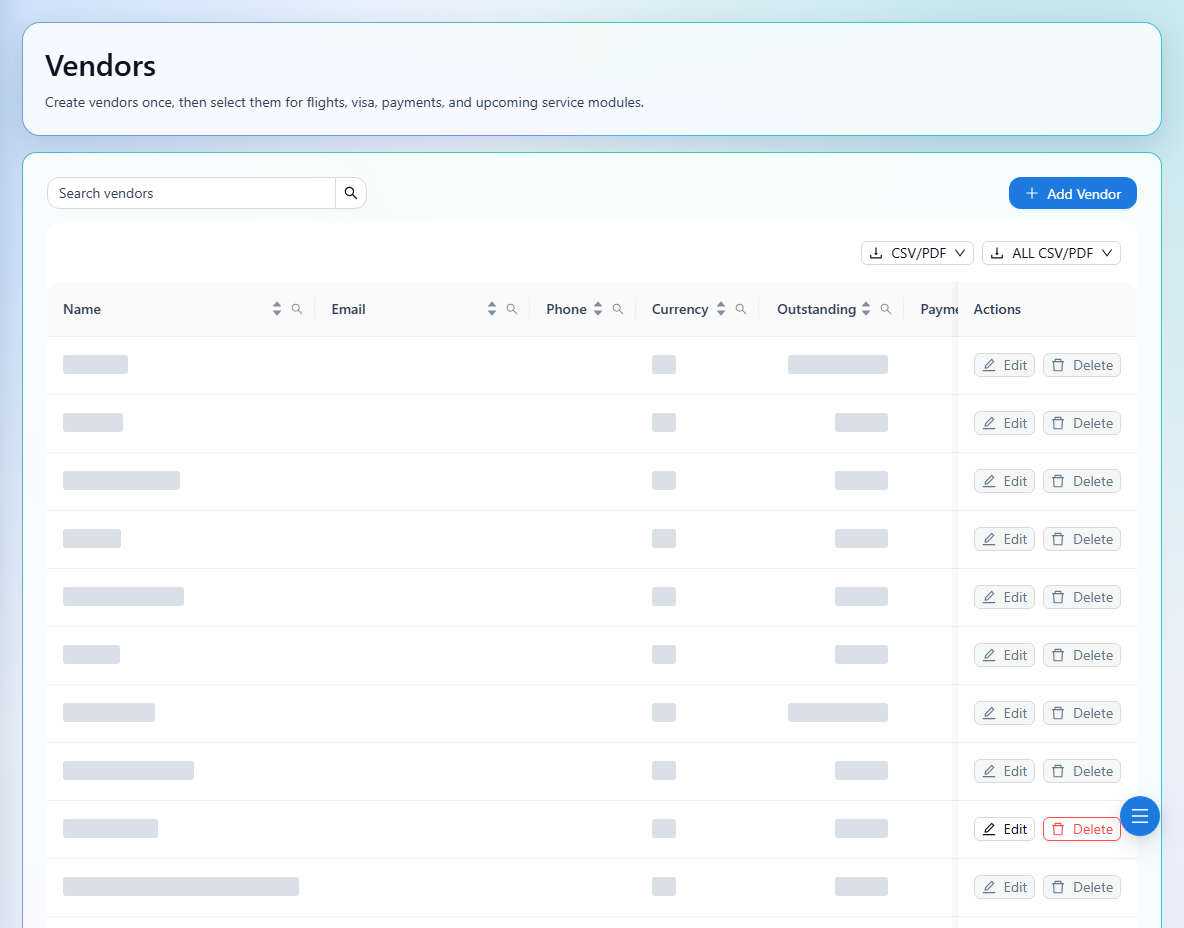
Keep supplier contact details, currency, and payment terms up to date.
2 min read · 5 steps
Where to go
Master Data → Vendors
Step by step
- 1
Search the vendor directory to check whether the supplier already exists.
- 2
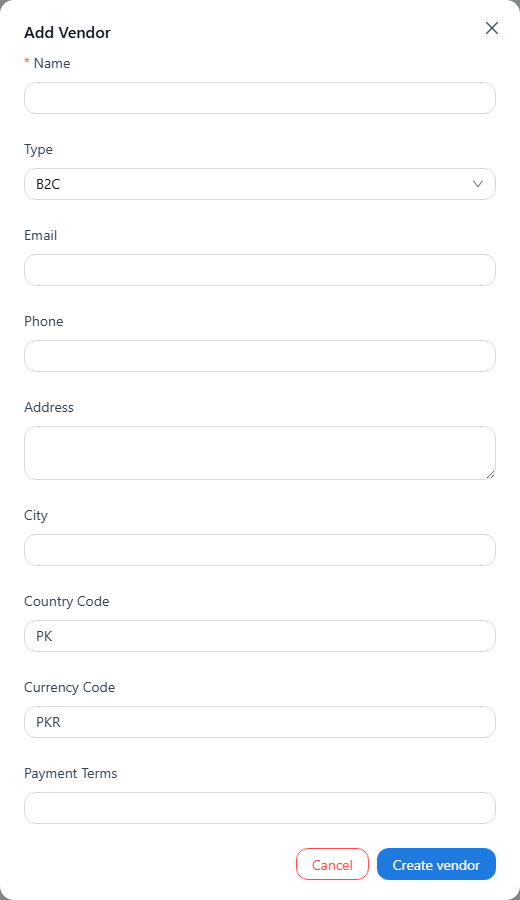
Use the add action and enter Name, Type, email, phone, and address details.
- 3
Set the country code, currency code, and Payment Terms, then save.
- 4
Select the vendor on relevant flight or service cost rows when creating bookings.
- 5
Use edit to update details. Delete only an eligible vendor without financial activity.
See it in the workspace
Actual portal screens. Private values are hidden where needed. Open an image to see it at full size.
Good to know
Vendor-linked costs are needed for supplier payables. A vendor stored in the directory must still be selected on the relevant booking cost rows.
Was this guide helpful?