Add customers and vendors
Create the records used throughout your booking and finance workflows.
2 min read · 5 steps
Where to go
Master Data → Customers / Vendors
Step by step
- 1
Open Customers or Vendors under Master Data and choose the add action.
- 2
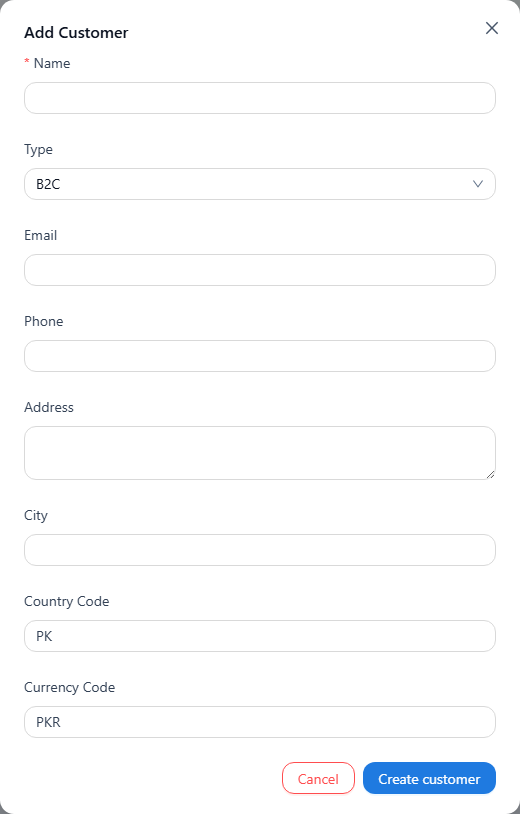
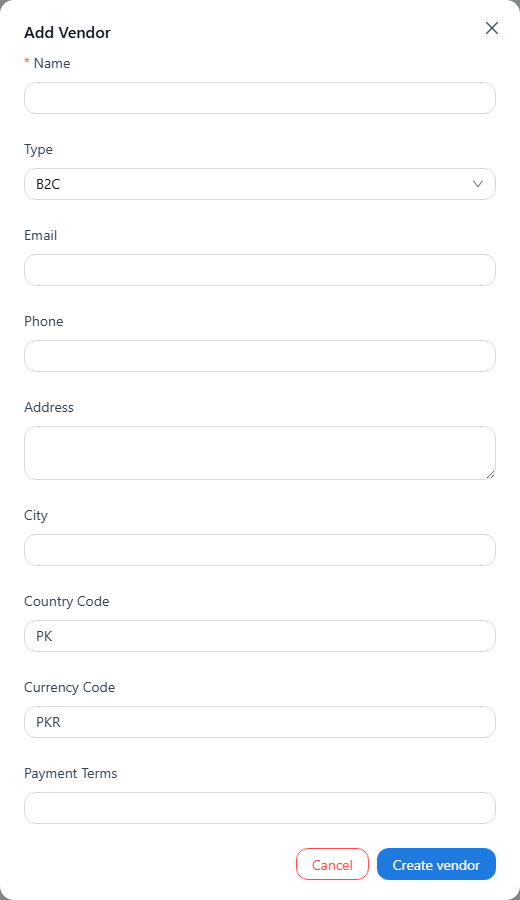
Enter the name, type, contact information, address, country, tax ID, and currency as applicable.
- 3
For vendors, also review payment terms.
- 4
Save the record and check its details. It becomes available in the relevant order and transaction selectors.
- 5
When creating an order, you can also use + Add Customer or + Add Vendor from the searchable dropdown.
See it in the workspace
Actual portal screens. Private values are hidden where needed. Open an image to see it at full size.
Good to know
Use clear names and check for an existing record first to avoid splitting activity across duplicates.
Was this guide helpful?