Record a customer receipt
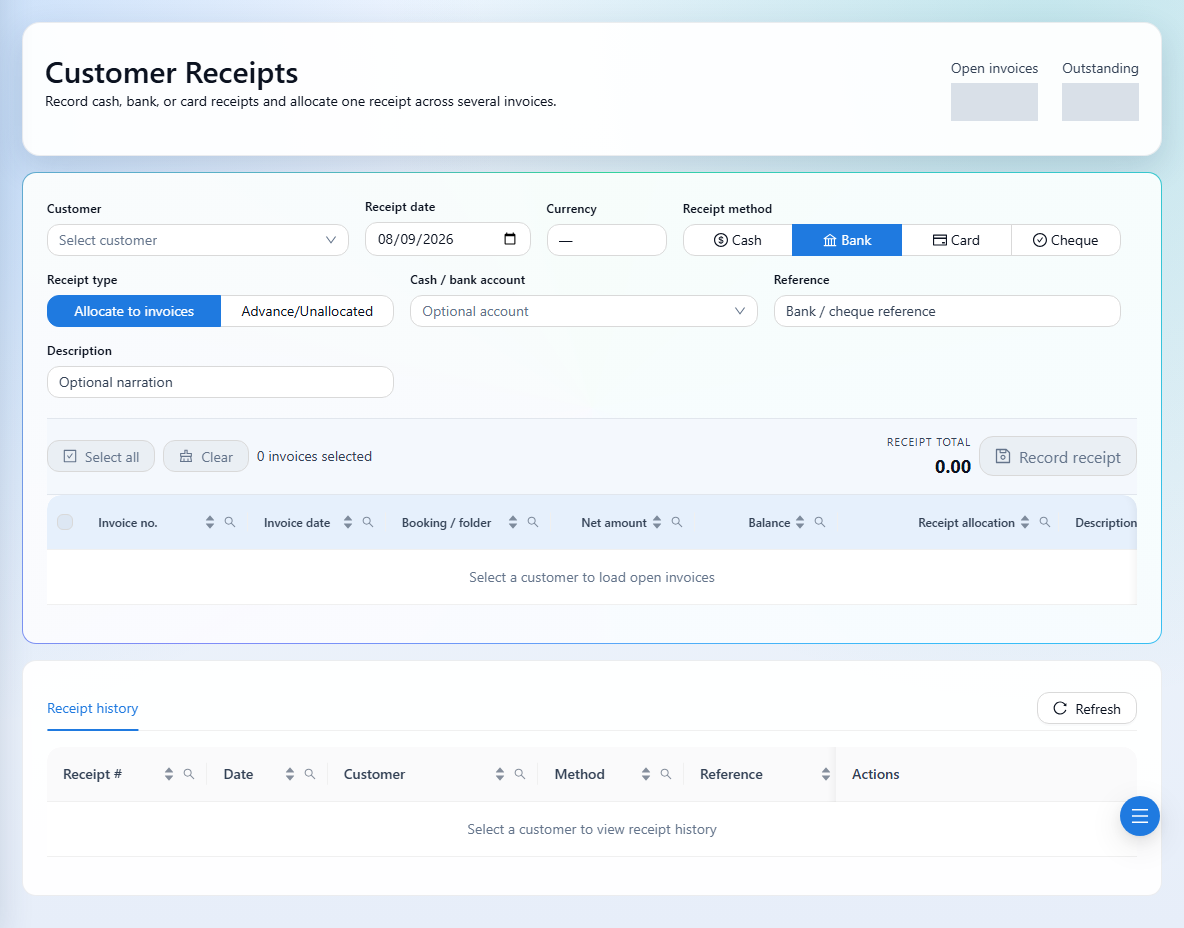
Allocate money received to one or more open invoices.
Finance → Customer Receipts
Step by step
- 1
Select the customer and load their open invoices.
- 2
Choose the receipt date and method. Add the cash or bank account if applicable, along with reference and description.
- 3
Select the invoice or invoices being paid.
- 4
Adjust allocations for partial receipts. Check that no allocation exceeds the invoice balance.
- 5
Confirm the receipt total matches the selected allocations, then record the receipt.
- 6
Review the receipt and updated invoice balances. Multiple selected invoices are settled under one bulk receipt.
See it in the workspace
Actual portal screens. Private values are hidden where needed. Open an image to see it at full size.
A receipt records money coming into your company. To pay money back to a customer, use Customer Payments.