Profit Shares: transfer profit between team members
Assign profit responsibility while preserving the original financial documents.
Finance → Profit Shares
Step by step
- 1
Filter by date, user, currency, or search text and select Run.
- 2
Review Invoice profit available to share, including its staff member, revenue, cost, profit, already shared amount, and available balance.
- 3
Use the share action for an eligible invoice, or Record for the available manual entry flow.
- 4
Choose Share From, Share To, Date, Currency, and Amount; add Notes and review the selected users before saving.
- 5
Check User totals, Shared profit by currency, and Transfer history. Use edit or delete actions only for the intended transfer.
See it in the workspace
Actual portal screens. Private values are hidden where needed. Open an image to see it at full size.
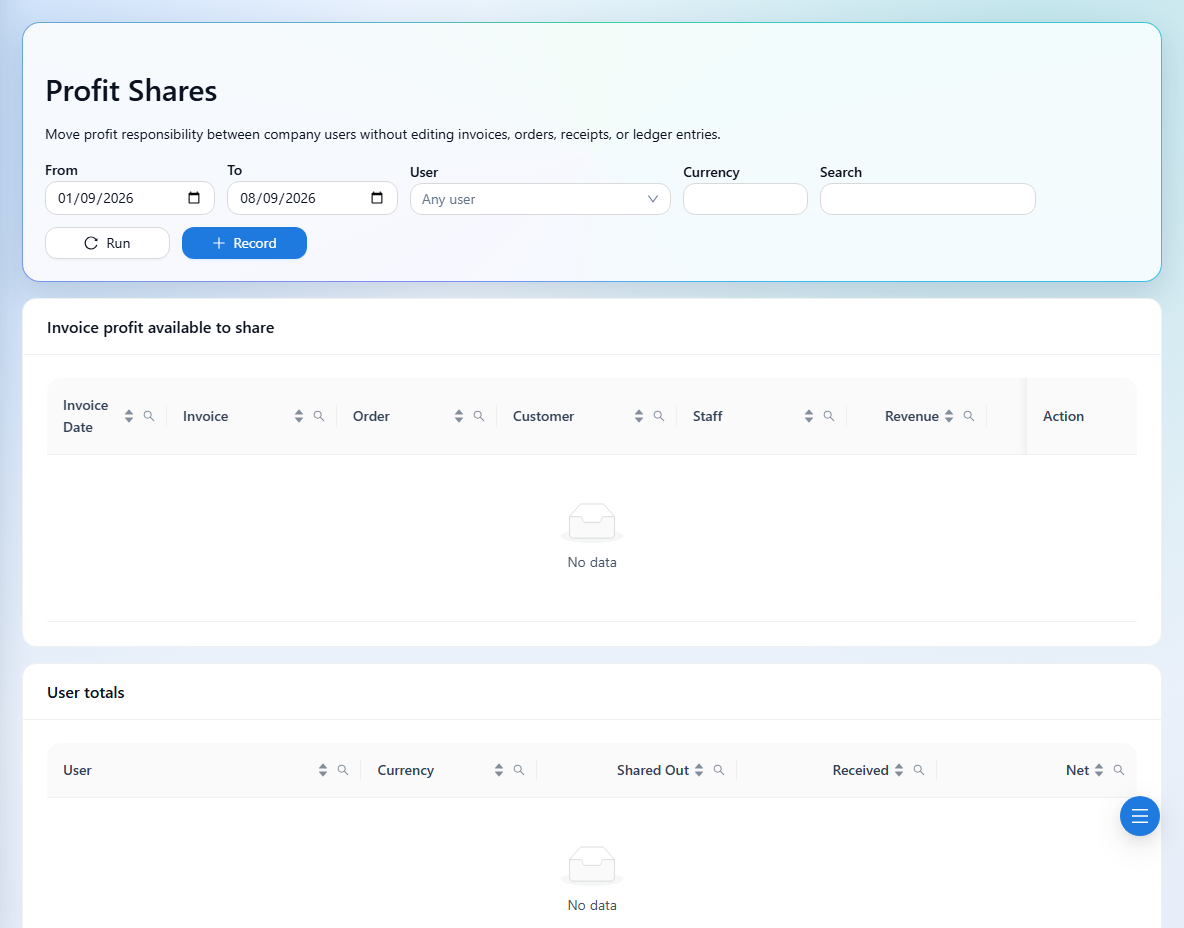
Profit Shares changes profit responsibility between users. It does not edit invoices, orders, receipts, or ledger entries, and it does not record a cash payment.